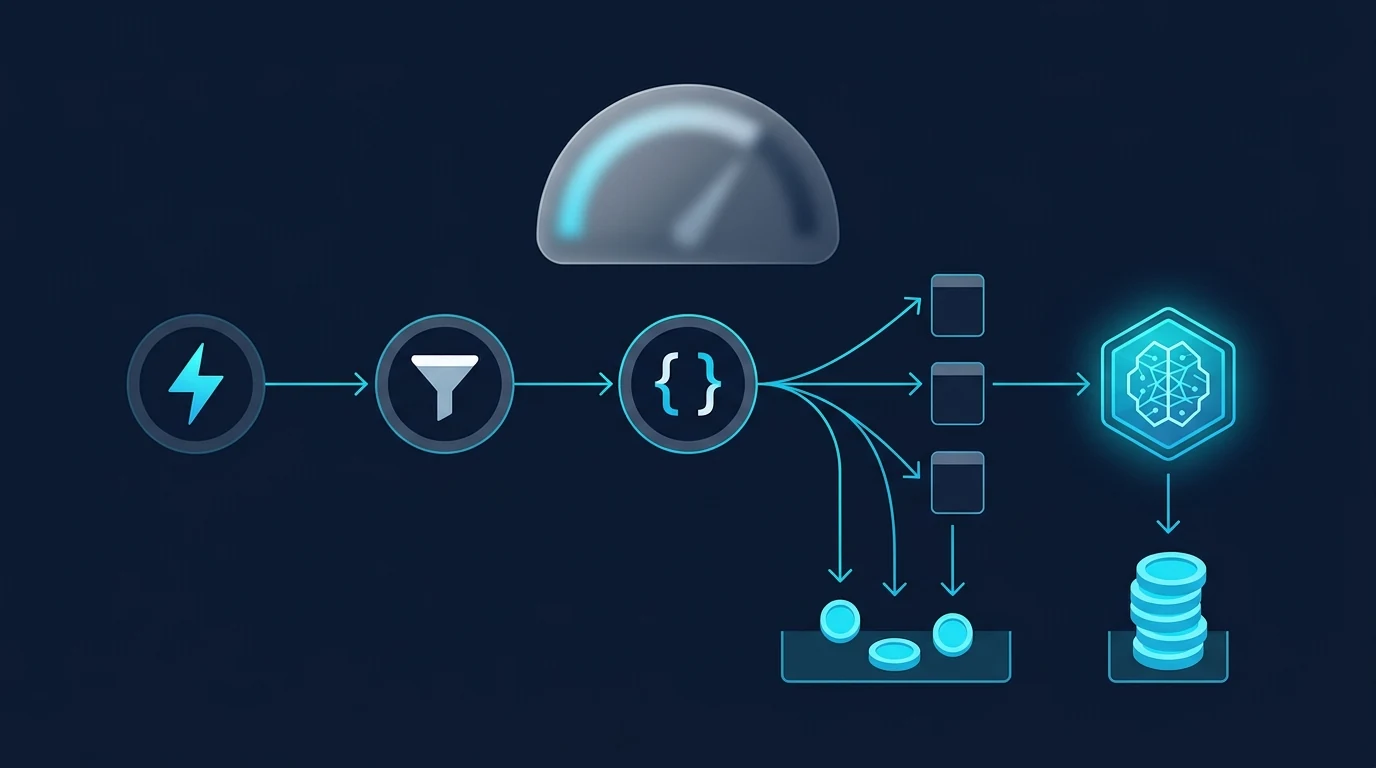
The free ride for Next Gen Zaps ends at 12 pm ET on December 1, 2026, and the part most people are worried about isn't the part that will cost them. If you read in early November that every Next Gen run would cost at least one task, even when a filter stops it, that is no longer what Zapier says. Its billing page, revised on November 12, now reads: "Next Gen Zaps have no minimum charge for each run. If no action or external call that uses tasks runs, the run uses no tasks." Zapier Help: How Next Gen Zaps and the Zapier SDK are billed
So a noisy webhook that your filter mostly throws away stays free. The tasks go to four less obvious places: external calls made from code, items in an SDK batch, AI steps left on their default tier, and SDK scripts running outside Zapier. Because Next Gen Zaps don't show a task count per run, you won't see which of these is eating your plan until the 80% email arrives. This post is for the Professional or Team account owner who built Next Gen Zaps or SDK scripts while they were free and now needs to know which ones will hurt.
What stays free
Most of what a Next Gen Zap does is free, and that's why the per-run minimum mattered so much to people. Under the November 12 rules, these use no tasks:
- The trigger that starts the Zap, and checking for new events.
- Filters, formatting, loops and branching. A run that only does these uses nothing.
- Code that reshapes data, and code that calls a website or API directly, without going through a Zapier-connected account.
- Anything that fails, and runs that are held.
- Composing, editing, testing and publishing the Zap.
- Free By Zapier apps such as Zapier Tables and Zapier Forms. From December 1 they're free everywhere, including through MCP and the SDK.
Zapier's own example: a Gmail trigger that only continues when the subject contains "invoice" uses no tasks when the subject doesn't match. This matches how Classic Zaps already work, where filters, Paths and Formatter steps don't count. Zapier Help: How is task usage measured in Zapier? If you need a refresher on how each platform defines its billing unit, our guide to what counts as a task covers Zapier, Make and n8n side by side.
Where the tasks actually go
A Next Gen Zap is billed for what it does to other apps, and code can do a lot more of that per run than a row of action steps ever did. App actions cost the same as in a Classic Zap, usually 1 task each. The new line items are below.
| What runs | Tasks used | Where it bites |
|---|---|---|
| App action (HubSpot, Sheets, Slack…) | 1 each, same as Classic | Rarely a surprise |
| External call: your code calls an API through a connected account | 1 per successful call | Code that loops over records |
| SDK batch or bulk call | 1 per item in the batch | Syncs that pull hundreds of rows |
| SDK action, external call or inbox-lease trigger outside Zapier (your server, cron) | 1 each | Scheduled scripts |
| SDK calls inside a Classic Code by Zapier step | 1 each, on top of the step's own task | The one Classic Zap that changes on Dec 1 |
| App actions your MCP client (Claude, Cursor) runs while building, e.g. fetching sample data | 2 per tool call | Long AI-assisted build sessions |
| AI by Zapier step | (1 + tool calls) × 1, 3 or 5 | Steps left on the Premium default |
Source: Zapier Help, updated Nov 12, 2026; AI by Zapier model tier pricing, updated Nov 2, 2026.
The AI line is the easiest to underestimate. New AI by Zapier steps on paid plans default to the Premium tier at 5x, and every tool the step calls is multiplied by the same rate. Zapier's own example of a Premium step with two tool calls comes to 15 tasks per run. The same step on Advanced with one tool is 6; a Standard step with no tools is 1; bringing your own AI key is 1x. That tier pricing has applied in Zaps since June. What changes on December 1 is that AI by Zapier also charges its own price when you call it through MCP or the SDK, where until now it was free or charged only the MCP rate.
Four workflow shapes, priced
The fastest way to see your December bill is to price each Next Gen Zap by shape rather than by app. These examples use the Professional plan's 750 tasks a month, which costs $19.99 a month billed annually or $29.99 monthly Zapier pricing, about 2.7 to 4 cents a task.
1. The filtered event stream: no change
A form webhook fires 3,000 times a month, your filter lets 10% through, and each passing run creates a CRM contact and posts to Slack. That's 300 runs × 2 actions = 600 tasks, the same as a Classic Zap, and the 2,700 filtered runs cost nothing. Under the per-run minimum people were worried about, the same Zap would have used 3,000 tasks. Leave it where it is.
2. The code step that talks to apps: count the calls
The same 300 runs, but now a code step looks up the contact in HubSpot, fetches the company record, updates it and posts to Slack: four external calls through connected accounts. That's 1,200 tasks, 450 over the Professional allowance before anything else in the account runs. You have two fixes. If any of those calls go to a service where you can hold the API key yourself, calling it directly from the code costs nothing, at the price of managing that credential outside Zapier. Or move the lookup and update into one app action that returns everything you need.
3. The scheduled SDK sync: the shape that can stop your other Zaps
A script on your own server pulls 200 records a night through an SDK batch call and writes each change back. Batch calls are billed per item, so the pull alone is 200 tasks a night, about 6,000 tasks a month, before any writes. SDK usage outside Zapier counts toward the same task limit as your Zaps. Pay-per-task billing then stops every Zap in the account once usage hits three times the plan's allowance: 2,250 tasks on Professional 750. Zapier Help: How pay-per-task billing works A sync script you wrote as a side project can switch off your lead routing by mid-month.
This is the one shape where moving is worth it. n8n bills per workflow execution "with unlimited steps": its cloud Starter plan is €20 a month billed annually for 2,500 executions n8n pricing, so the same nightly sync is 30 executions a month however many records it touches. Self-hosted n8n costs nothing beyond the server; our self-hosted vs cloud breakdown covers what that really costs to run.
4. The AI triage step: change one dropdown
An AI by Zapier step classifies 300 inbound emails a month and calls two tools to tag and route each one. On the Premium default that's 15 tasks a run, 4,500 tasks a month. Switching to Advanced and cutting it to one tool brings it to 6 a run, 1,800 a month. If the step only classifies and returns a label, Standard with no tools is 1 task a run, 300 a month. Bringing your own AI key prices tool-heavy steps at 1x. Check the tier before December 1 on every AI step you added in early access, because nothing on screen tells you a step is running at 5x.
You won't see it per run, so count it now
This is the part of the change that makes the rest of it hard to manage. For Next Gen Zaps, Zapier's billing page lists the task count for each run as "Not available"; you get totals in Usage Insights and billing settings, with Task History "Coming later." For SDK usage outside Zapier, you get one account-level total and, in Zapier's words, no "breakdown for each script or call." The only warnings are the emails at 80% and 100% of your limit. In a Classic Zap you can open Zap History and see which step used what. After December 1, a Next Gen Zap that suddenly costs four times as much looks the same as one that doesn't.
So do the count while the Zaps are still free. For each Next Gen Zap and each SDK script, write down four numbers: runs per month, app actions per run, external calls per run (including batch items), and AI steps with their tier and tool count. Multiply out. Anything in shape 1 can stay. Anything in shapes 2 and 4 usually needs an edit, not a move. Anything in shape 3, or anything that alone would push the account past its allowance, is a candidate to run somewhere that bills per execution.
When moving one workflow actually saves money
Moving a single workflow off Zapier only saves money if it's the one pushing you over your plan. At list price, n8n Starter works out to under a cent per execution against roughly 3 to 4 cents per Zapier task, so any multi-call workflow looks cheaper per run elsewhere. But you keep paying for Zapier for everything else. If the account fits inside its allowance, moving a workflow saves nothing and costs you a rebuild; our migration cost breakdown shows how quickly rebuild time eats the difference. The move pays off when one workflow is responsible for overage, a forced tier upgrade, or the risk of hitting the 3x ceiling.
Make isn't automatically the cheaper home either. It charges a credit for each module that runs, and a scheduled scenario uses credits on every check, including checks that find nothing. A high-volume filtered stream like shape 1 can cost more there than on Zapier, where filtered runs are free. Make suits many-step runs with steady volume; n8n suits code-heavy and batch work. For the full field, see our Zapier alternatives page and the n8n vs Zapier comparison.
Before December 1, open every AI step and check its tier, count the external calls in every code step, and give any SDK script that runs on a schedule a usage cap or a new home. The filtered Zaps you were worried about can stay as they are.