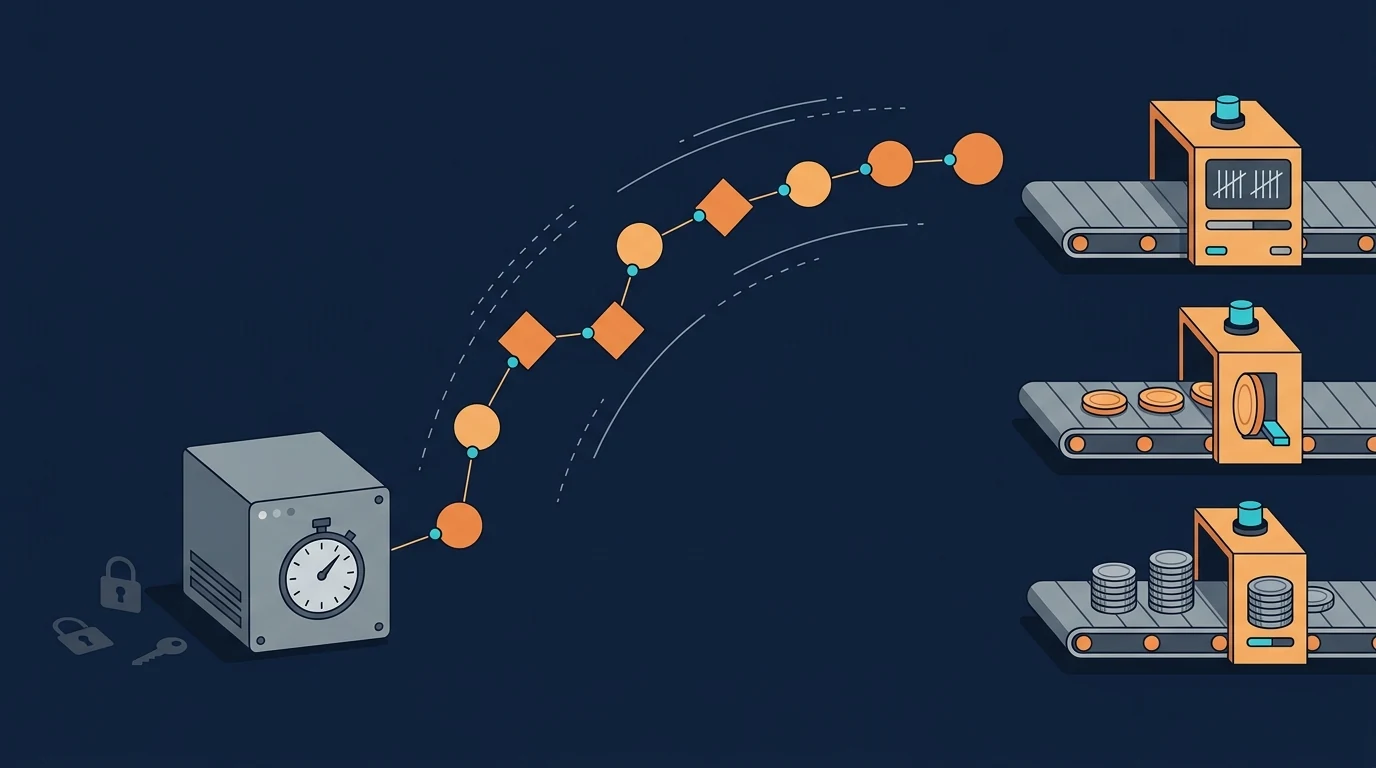
Pipedream's shutdown notice gives you six months and an export button, and the export is the easy part. The harder problem is that Pipedream Workflows billed for something no replacement bills for: compute time. One credit bought 30 seconds of runtime, however many steps the workflow had. Every tool you might move to counts something else (action steps, module runs, or whole runs), so the same workflow can cost 1 unit on Pipedream and 7 or 8 on Zapier or Make. If you compare plan prices without converting units first, you will pick the wrong plan or the wrong tool.
What Pipedream actually announced
The shutdown covers Workflows and String, not the whole company. Pipedream says it is focusing on Connect, its integration layer for AI agents, and that "Workflows falls outside that focus" (Pipedream shutdown notice). Pipedream has been owned by Workday since the deal closed in Workday's fiscal fourth quarter, which ended January 31, 2026.
| Date | What happens |
|---|---|
| Now | Workflows is in maintenance mode: existing workflows keep running, no new signups or subscriptions, no new features. |
| March 31, 2027 | Workflows and String stop. Remaining subscriptions are cancelled automatically with a prorated refund. |
| April 30, 2027 | All Workflows data is permanently deleted, including credentials and OAuth tokens for connected accounts. |
Monthly subscribers can cancel early in account settings. Annual subscribers have to contact support for an early cancellation and prorated refund. Pipedream Connect settings and credentials are not affected.
The export saves your logic, not your accounts
The export tool gives you a blueprint, not a working copy. It builds one ZIP per project with a JSON file for each deployed workflow: triggers, steps, code-step source, configured props and if/else branches (Pipedream export docs). What it leaves out is exactly the work that takes time in a migration:
- Connected accounts. Tokens are never exported, only an internal ID. Every app has to be connected again on the new platform.
- Secrets and environment variables. Secret props, undeclared props and HTTP auth headers come out as
<redacted>. - Data stores, File Store files and event history. Download these separately before April 30, 2027.
- Private multi-file components. The export names the component but doesn't include its code.
Two practical gotchas. The archive is written to the project's File Store, so your plan has to include File Stores. And one export holds at most 500 workflows or 256 MB; larger projects get truncated and need splitting. The manifest.json warnings list every prop you'll need to re-enter, which makes it a ready-made migration checklist.
Why the same workflow costs different amounts on each tool
Each tool on the list measures a different thing, and that matters more than the headline price. Pipedream charged one credit per 30 seconds of compute at the default 256 MB of memory, per workflow segment, and didn't count steps at all (Pipedream pricing docs). The replacements split into two groups:
| Tool | Billing unit | What's free |
|---|---|---|
| Pipedream Workflows (leaving) | Credit = 30s of compute per segment | Step count; builder testing |
| Zapier | Task = each successful action step | Triggers and polling, Filter, Paths, Formatter, Delay |
| Make | Credit = each module run (non-AI) | Little; scheduled trigger checks cost a credit |
| n8n Cloud | Execution = one full workflow run | Step count; manual test runs; polling nodes that find nothing |
| Activepieces Cloud | Credit = one full flow run | Step count (AI steps cost extra) |
Sources: Zapier task usage, Make credits, n8n executions, Activepieces pricing FAQ. We explain these units in more depth in what counts as a task.
Per-step tools charge you for complexity, per-run tools charge you for frequency, and Pipedream charged you for time. Which one is cheapest depends on the shape of your workflow, and most Pipedream accounts contain more than one shape.
Three common Pipedream workflows, converted
The examples below use plan prices our pricing tracker last verified on the vendors' own pages between September 30 and October 3, 2026. Pipedream's legacy Basic plan, $29/month billed annually for 2,000 credits, is the starting point. n8n prices in euros.
1. The webhook pipeline: many steps, quick runs
This is the workflow most likely to cost more after you move. Take a webhook trigger, one Node.js code step and six app actions, finishing in about five seconds, 1,500 times a month. On Pipedream that's 1,500 credits, well inside Basic.
| Destination | Units per run | Units per month | Plan that fits |
|---|---|---|---|
| Pipedream (today) | 1 credit | 1,500 | Basic, $29/mo annual |
| n8n Cloud | 1 execution | 1,500 | Starter (2,500 executions), €20/mo annual |
| Activepieces | 1 credit | 1,500 | Plus (10,000 credits), $16/mo annual |
| Make | ~8 credits | ~12,000 | Over Core's 10,000-credit base ($12/mo monthly); needs a bigger credit tier |
| Zapier | 7 tasks (code step + 6 actions) | 10,500 | Well past the 2,000-task Professional tier ($49/mo annual) |
On Zapier, this one workflow would need about five times the 2,000-task tier. That's the main reason not to move a code-heavy Pipedream account to a per-step tool by default. If you do, merging small steps into a single code step (Code by Zapier uses one task per run at standard runtime) cuts the count a lot.
2. The quiet poller: frequent runs that usually find nothing
This one goes the other way: it gets cheaper on most tools. Pipedream users often check an API every five minutes in a scheduled code step and exit early when nothing is new. That's about 8,640 runs a month, and each one cost a credit, more than four times Basic's 2,000 included credits.
- Zapier: polling triggers never use tasks. If the check finds something once a day and runs two actions, that's about 60 tasks a month, and the entry Professional tier (750 tasks, $19.99/mo annual) covers it.
- n8n: it depends on how you rebuild it. A Schedule Trigger counts an execution every time it fires (about 8,640, Pro tier), but an app polling trigger counts only when it finds new data (about 30).
- Make: the scheduled check is a module run, so it costs about 8,640 credits plus the actions. That fits inside Core's 10,000 credits, but barely.
The rule for pollers: rebuild them on a native polling trigger, not as a schedule plus code. That way the empty checks cost nothing.
3. The slow script: long runs, few steps
Long-running jobs are where Pipedream's time-based billing hurt the most, so they get cheaper almost anywhere else. A single code step that calls an LLM or scrapes a page for 75 seconds costs 3 Pipedream credits per run, and more if you raised memory above 256 MB (1,024 MB is 4x the credits). On n8n or Activepieces the same run is one unit. On Zapier, Code by Zapier is one task at standard runtime but uses more tasks if you extend the runtime. The catch is runtime limits: check the destination's maximum execution time before you move a long job, because a timeout costs more than any billing difference.
If you call AI models through the platform's built-in AI steps, check those separately. Activepieces charges 2, 10 or 20 credits per AI step depending on the model tier (1 credit if you bring your own provider key on Plus and up), and Make bills its built-in AI by tokens.
A 30-minute audit before you choose
You can sort your whole account with one pass through the export and your Pipedream usage page. For each workflow, note:
- Trigger type: webhook, schedule or app source. Scheduled code that polls is the line most worth rebuilding as a native polling trigger.
- Action steps per run: count from the workflow JSON, leaving out the trigger.
- Runs per month and typical duration: from Pipedream's event history before it's gone.
- Language dependence: how much logic lives in Node.js or Python steps that need a code-capable destination.
- Stored state: any data store or File Store the workflow reads, which you have to export by hand.
Then sort into three groups. Code-heavy, many-step workflows go to a per-run tool: n8n (also free to self-host if you'd rather run it yourself; see self-hosted vs cloud) or Activepieces. Low-volume, mostly prebuilt-action workflows can go anywhere, so pick on connectors and team comfort. Pollers go wherever empty checks are free. For the full candidate list, see our Pipedream alternatives page.
Don't wait until March
Six months sounds generous, but a migration takes longer than the rebuild itself. Every connected account needs reconnecting by someone who has the login, every webhook sender needs its URL changed, and you'll want a few weeks of running both side by side before you switch the old workflow off. Our migration cost breakdown puts rebuild and retraining time well above the subscription difference for most teams. Do the step-and-run count this month, pick the destination by unit cost, and start with the workflows that touch the most connected accounts.